Getting Started#
Prerequisites#
Both the manager and agent servers must run a Debian-based Linux distribution (Debian, Ubuntu).
The manager installation will automatically install:
ca-certificates,curl,cronopenssl(PKI generation)apache2-utils(htpasswdfor dashboard basic-auth)python3-pymongo(interaction with MongoDB from cron scripts)Docker CE + Docker Compose plugin (if not already present)
The agent installation will automatically install:
ca-certificates,curl,jq,openssl,python3uv (modern Python package manager)
Docker CE + Docker Compose plugin (if not already present)
Note
Both machines need root access (sudo) — the install scripts configure system services (Docker, SSH, cron).
Manager Installation#
Clone the repository on the manager server:
git clone https://github.com/ilostmypassword/Melissae.git
cd Melissae/manager/
chmod +x melissae-manager.sh
Launch the interactive console and run install:
./melissae-manager.sh
manager [0 active] > install
The installer performs the following steps:
System packages — Installs prerequisites via
apt-get(Docker, OpenSSL, python3-pymongo, apache2-utils, cron).PKI initialization — Generates the Certificate Authority:
CA key: ECDSA P-384, stored in
pki/ca/ca.key(mode 600)CA certificate: 10-year validity, subject
CN=Melissae CA/O=Melissae Honeypot FrameworkAn OpenSSL config (
pki/ca/openssl.cnf), serial file, and index for future cert issuance
Manager certificate — The installer detects the machine’s IP and hostname, then asks:
Manager certificate configuration
  Detected IP:       192.168.1.10
  Detected hostname: manager.local

Public FQDN (e.g. manager.example.com) [manager.local]:
A dual-purpose (client + server) certificate is generated with SANs covering the FQDN, hostname, IP,
localhost, and127.0.0.1.Dashboard credentials — Prompts for a username (default:
melissae) and password, saved todashboard/conf/htpasswdusing bcrypt (htpasswd -Bbc).Cron jobs — Three scheduled tasks are added to the system crontab:
Schedule
Script
Purpose
Every minute
scripts/threatIntel.pyRuns the YAML rule engine and recalculates threat verdicts
Every 3 hours
scripts/purgeLogs.pyRemoves stale benign IoCs and associated logs
Every minute
scripts/health_poller.pyPolls agent health endpoints via mTLS
After installation, add your user to the Docker group and apply the changes immediately:
sudo usermod -aG docker $USER
newgrp docker
Note
newgrp docker activates the group in the current shell session without requiring a full re-login. Alternatively, log out and log back in.
Then start the manager stack (MongoDB + Flask API + Nginx/Dashboard):
manager [0 active] > start
This brings up 3 containers:
Container |
Port |
Role |
|---|---|---|
|
127.0.0.1:27017 |
MongoDB data store (local only) |
|
127.0.0.1:5000 |
Flask REST API (local only) |
|
0.0.0.0:443, 0.0.0.0:8443 |
Nginx — serves dashboard (:443) and terminates mTLS ingestion (:8443) |
Agent Enrollment#
Enrollment is a two-step process: generate a token on the manager, then use it on the agent.
Step 1: Generate the token (manager)#
manager [3 active] > enroll my-agent 192.168.1.50
This command:
Validates the agent name (alphanumeric, hyphens, underscores only)
Generates a dual-purpose certificate for the agent (SANs: agent host, localhost, 127.0.0.1)
Creates a one-time enrollment token (64 hex chars, stored in MongoDB, 10-minute TTL)
Registers the agent in MongoDB with
pendingstatus
The output gives you the exact command to run on the agent:
[✓] Enrollment token generated (expires in 10 minutes)

   Run this on the agent:

   ./melissae-agent.sh install https://<manager-ip>:8443 a1b2c3d4...
Step 2: Install on the agent#
On the agent server, clone the repository:
git clone https://github.com/ilostmypassword/Melissae.git
cd Melissae/agent/
chmod +x melissae-agent.sh
Launch the interactive console and run the install command with the manager URL and token:
./melissae-agent.sh
agent:? [0 active] > install https://192.168.1.10:8443 a1b2c3d4...
Danger
The agent installer will randomize your SSH port to a value between 20000 and 30000. Note this port carefully — it will be displayed at the end of the installation. You will need it to reconnect via SSH to the agent server.
The agent installer performs the following steps:
System packages — Installs
ca-certificates,curl,jq,openssl,python3.Python environment — Installs uv, creates a virtual environment in
daemon/.venv, installs dependencies (requests,pyyaml).Docker — Installs Docker CE + Compose plugin if not already present.
Enrollment — Sends
POST /api/enrollwith the one-time token to the manager (insecure TLS — CA not yet known). The manager responds with:The JSON response contains the fields
agent_id,ca_crt,agent_crt, andagent_key(all base64-encoded where applicable). Certificates are saved inagent/certs/with key permissions set to 600.Configuration — Generates
daemon/config.ymlwith all paths and settings:agent_id: "my-agent" manager: url: "https://192.168.1.10:8443" ca_cert: "/path/to/certs/ca.crt" agent: cert: "/path/to/certs/agent.crt" key: "/path/to/certs/agent.key" health_port: 8444 push: interval_seconds: 10 batch_size: 500 retry_max_seconds: 300 buffer: db_path: "/path/to/data/buffer.db" max_size_mb: 512 modules: ssh: enabled: true log_path: "ssh/sshd.log" ftp: enabled: true log_path: "ftp/vsftpd.log" http: enabled: true log_path: "http/access.log" modbus: enabled: true log_path: "modbus/modbus.log" mqtt: enabled: true log_path: "mqtt/mosquitto.log" telnet: enabled: true log_path: "telnet/auth.log" cve-2026-24061: enabled: false log_path: "cve/CVE-2026-24061/auth.log"
By default, all native modules are enabled and the CVE module is disabled.
mTLS test — Sends a test
POST /api/ingestto the manager with the new certificates. An HTTP 400 or 405 response confirms the mTLS channel is functional.SSH hardening — A random port (20000–30000) replaces port 22 in
/etc/ssh/sshd_config. You are asked whether to restart SSH immediately. Reconnect on the new port after installation.
Configuring Modules#
Before starting the agent, review daemon/config.yml to enable/disable modules. You can also use the CLI:
agent:my-agent [0 active] > list              # See available modules
agent:my-agent [0 active] > disable modbus     # Disable a module
agent:my-agent [0 active] > enable cve-2026-24061  # Enable a CVE module
Warning
Modules that bind the same host port cannot run together. For example, telnet (port 23) and cve-2026-24061 (port 23) conflict — the CLI will reject the combination.
Warning
The CVE module (cve-2026-24061) reproduces a real vulnerability. Deploy it only on machines that are fully isolated from your production infrastructure. It runs with pids_limit: 64, mem_limit: 128m, and a dedicated Docker network (172.30.0.0/24).
Starting Services#
Manager — starts MongoDB, Flask API, and the Nginx/Dashboard container:
manager [0 active] > start
Agent — starts the enabled honeypot containers and the agent daemon (log parser + push):
agent:my-agent [0 active] > start
The agent daemon runs as a background process on the host (not in Docker). It:
Parses raw logs from honeypot containers (incremental, hash-based deduplication)
Buffers parsed entries in a local SQLite database (up to 512 MB)
Pushes batches (up to 500 entries) to
POST /api/ingestevery 10 seconds via mTLSExposes a health endpoint on port 8444 for the manager to poll
Falls back to exponential backoff (up to 5 minutes) if the manager is unreachable
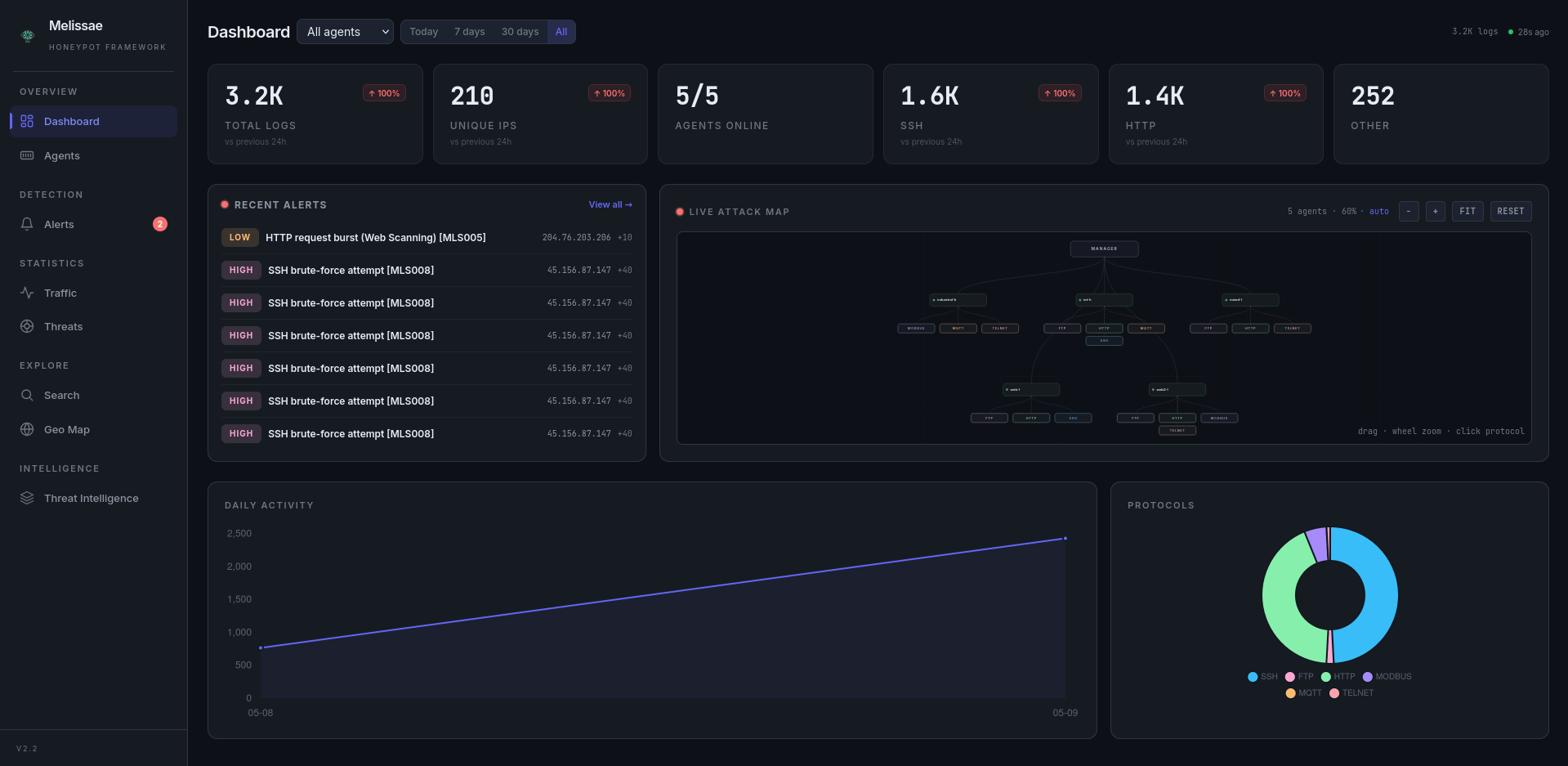
Accessing the Dashboard#
The dashboard is served over HTTPS on port 443 using the manager’s self-signed TLS certificate:
https://<manager-ip>/
Authenticate with the credentials set during install. Your browser will show a security warning because the certificate is signed by Melissae’s internal CA — this is expected. You can import pki/ca/ca.crt into your browser’s trust store to suppress the warning.
Note
Port 8443 is reserved for mTLS-authenticated agent traffic (ingestion and enrollment). Do not use it for browser access.
Tip
After starting the agent, verify that it registered successfully on the manager:
manager [3 active] > agents
The agent should appear with status healthy within a minute of its first log push.